

Master professional conversations with AI when meetings feel intense, high-stakes, or just a little awkward. Hedy AI is built for people who want real-time coaching, clearer talking points, better follow-up notes, and more confidence in professional conversations.
Sometimes you feel like a fish out of water during a meeting. You know the topic matters, but it is not always easy to respond clearly, ask sharper questions, or summarize what happened afterward. That is where Hedy AI becomes useful. It acts like an AI meeting coach that helps you prepare, stay present, and communicate with more confidence.
At the time of writing, the Hedy AI AppSumo deal lists a lifetime Pro plan for $179, a 4.8 rating from 200+ reviews, support for 30+ languages, apps for iOS, Android, Windows, and macOS, and a 60-day refund window. That makes it especially interesting for professionals who want to master professional conversations with AI without paying for another monthly tool.

Disclosure: This post contains affiliate links. If you buy through my links, I may earn a commission at no extra cost to you.
How to Master Professional Conversations With AI Using Hedy AI
To master professional conversations with AI, you need more than a meeting transcript. You need help before, during, and after the conversation. Hedy AI focuses on those moments by giving you preparation support, real-time suggestions, searchable notes, and post-meeting summaries. For me, the value is not just automation. The value is having a quiet second brain that helps me respond better when the room moves fast.
This Hedy AI review looks at the practical side of the tool: how it can help in meetings, interviews, client calls, sales conversations, team discussions, and other workplace moments where communication quality matters. If you already read my other software guides on the Swadhin Khan blog, this follows the same simple approach: what it does, who it helps, where it shines, and whether the deal makes sense.
Why Professional Conversations Need AI Support
Professional conversations often move faster than our notes. Someone asks a question, another person changes the topic, and suddenly you need to respond with context, confidence, and tact. An AI conversation coach can help you stay organized by surfacing relevant prompts and helping you turn scattered ideas into cleaner responses.
How Hedy AI Works During Meetings
Hedy AI listens to the flow of a conversation and provides coaching support while you stay focused on the discussion. Instead of only creating a transcript after the meeting, it can support the live moment with suggestions, question ideas, and guidance that helps you communicate more clearly. That is the core reason this tool fits the keyword: master professional conversations with AI.

Key Features That Help You Master Professional Conversations With AI
The best AI meeting coach should not feel like another complicated workspace. Hedy AI appears focused on the communication workflow: prepare better, respond smarter, remember more, and follow up faster. Here are the features that matter most.
You may also read
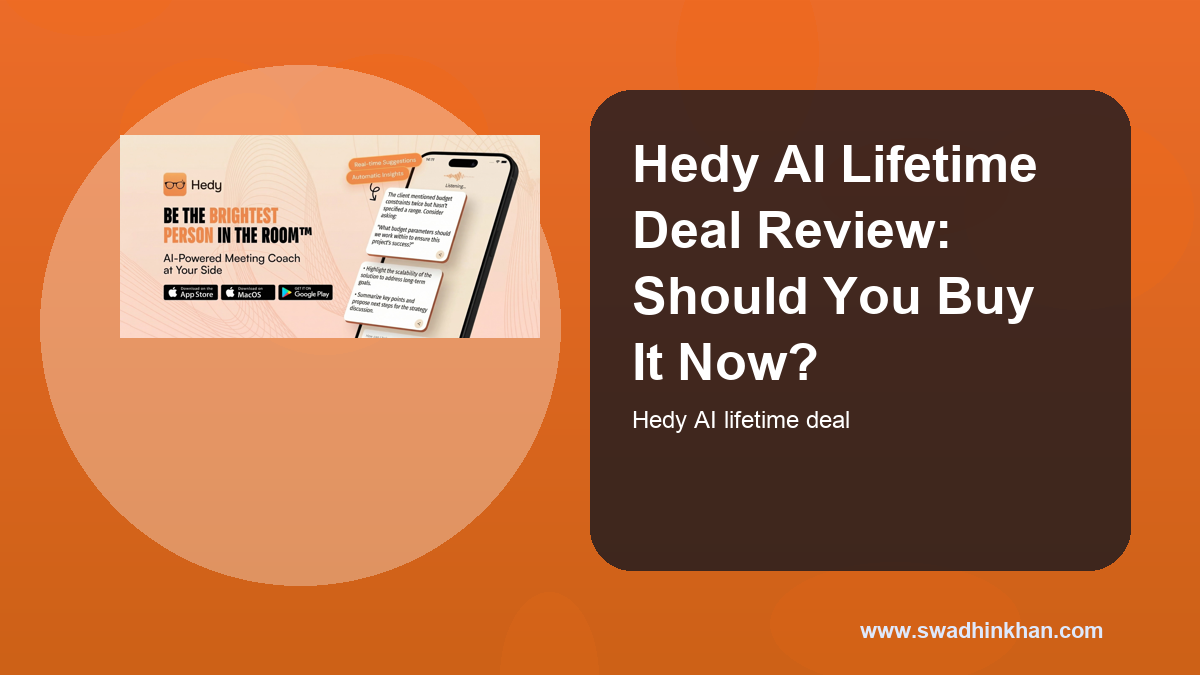
Hedy AI Lifetime Deal Review: Should You Buy It Now?
Hedy AI lifetime deal review covering features, pricing, pros, cons, use cases, and whether this AppSumo offer is worth buying.
Real-Time AI Coaching for Professional Conversations
The standout feature is real-time coaching. Hedy AI can provide suggestions while the conversation is happening, which is useful when you need a better way to phrase a point, ask a follow-up question, or clarify your position. This can help you master professional conversations with AI in client meetings, internal reviews, and interviews.
Meeting Preparation and Context Notes
A strong meeting starts before anyone joins the call. Hedy AI can help with preparation notes so you can walk in with a clearer plan. For consultants, founders, account managers, and team leads, this means less time staring at a blank page before important calls.
Summaries, Notes, and Follow-Up Support
After a meeting, the real work begins. Hedy AI can help organize summaries and notes so you can remember decisions, next steps, and key discussion points. A meeting assistant that handles this well saves time and reduces the risk of missing important details.
30+ Languages for Global Teams
AppSumo lists support for more than 30 languages, which matters for international teams, remote workers, and multilingual businesses. If you work across regions, the ability to master professional conversations with AI in different languages can make communication feel less stressful.
Cross-Platform Apps and Integrations
Hedy AI is listed with apps for iOS, Android, Windows, and macOS. It also highlights integrations that can fit into a professional workflow. That matters because a tool like this is only useful if it works where your meetings actually happen.
Hedy AI Pricing and AppSumo Deal Details
Pricing is one of the biggest reasons AppSumo deals are attractive. The current Hedy AI AppSumo listing shows a lifetime Pro plan at $179. For users who attend regular meetings, that can be easier to justify than a recurring subscription, especially if the tool becomes part of your daily workflow.
What the Hedy AI Deal Includes
- Lifetime access to the Pro plan as listed on AppSumo
- Real-time AI coaching for meetings and professional conversations
- Support for 30+ languages
- Apps across major platforms including mobile and desktop
- A 60-day money-back window through AppSumo
Who Gets the Most Value From the Deal
The people who get the most value are those who have frequent professional conversations: founders, consultants, managers, sales professionals, customer success teams, recruiters, educators, and remote workers. If meetings directly affect your outcomes, Hedy AI may help you communicate with more confidence.
Pros and Cons of Hedy AI as an AI Meeting Coach
No tool is perfect. Hedy AI is useful because it focuses on a real workplace pain: knowing what to say, remembering what happened, and following up well. Still, it is important to understand both sides before buying.
Hedy AI Pros
- Helps you master professional conversations with AI in real time
- Useful for meetings, interviews, client calls, and team discussions
- Can reduce meeting anxiety by giving you structure and suggestions
- Supports preparation, notes, and summaries
- Works across multiple platforms
- AppSumo lifetime pricing can be attractive for regular users
You may also read

7 Ways to Turn Product Photos Into Viral Ads With MagicFit
Product photos into ads with MagicFit using AI ad creatives, social posts, and video concepts from product images or URLs. Read the AppSumo review.
Hedy AI Cons
- Real-time coaching may take practice before it feels natural
- AI suggestions still need human judgment and context
- The value depends on how often you attend important meetings
- Some users may prefer a simple note-taker instead of live coaching
- Privacy and meeting consent should be considered before using any listening tool
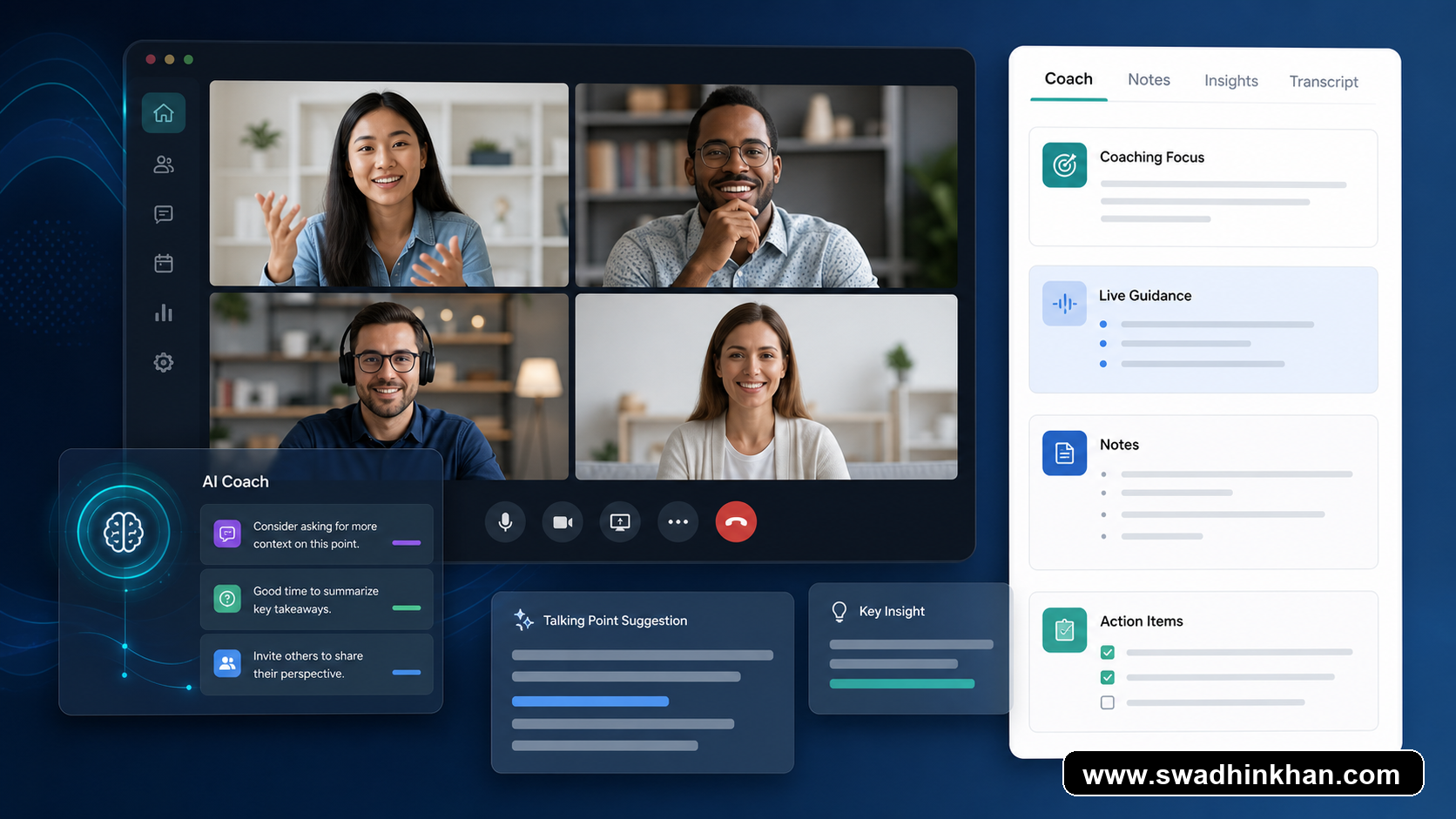
7 Easy Ways to Use Hedy AI in Real Meetings
If you want to master professional conversations with AI, start with a few practical use cases. Hedy AI does not need to replace your thinking. It can support your thinking so you speak more clearly and leave meetings with better notes.
1. Prepare Talking Points Before the Meeting
Use Hedy AI to organize what you want to say before the call starts. This is useful for client meetings, performance reviews, and discovery calls where preparation changes the outcome.
2. Ask Better Follow-Up Questions
Good questions make conversations better. Hedy AI can help you think of follow-up questions when a topic needs clarification. That can make you sound more engaged and professional.
3. Stay Confident During Difficult Conversations
Some meetings are uncomfortable. Salary discussions, client objections, team conflict, and negotiation calls can all create pressure. An AI conversation coach can help you stay calm and structured.
4. Summarize Decisions After the Call
A clear summary helps everyone know what happened. Hedy AI can support meeting summaries so you do not depend only on memory or rushed notes.
5. Improve Sales and Client Conversations
Sales and consulting conversations require listening, timing, and clarity. Hedy AI can help you track the flow of the conversation and prepare better responses.
6. Support Multilingual Professional Conversations
For global teams, language can create friction. Hedy AI’s listed 30+ language support can help users who work across regions and need better communication support.
7. Build a Better Meeting Habit
The more consistently you review meeting notes and improve communication, the easier it becomes to master professional conversations with AI. Hedy AI can help create that habit by making preparation and follow-up simpler.
Who Should Use Hedy AI?
Hedy AI is not only for executives. It is for anyone whose work depends on conversations. If you need to speak clearly, remember details, and follow up with confidence, this tool can fit your workflow.
Best for Founders, Managers, and Consultants
Founders and consultants often move between strategy calls, sales meetings, interviews, and internal discussions. Hedy AI can help them stay organized and prepared.
Useful for Sales, Customer Success, and Recruiting
Sales and customer success teams need to listen carefully and respond at the right time. Recruiters also need to ask thoughtful questions and remember candidate details. A meeting assistant can support all three workflows.
You may also read
Spellar AI Lifetime Deal Review: Should You Buy It Now?
Spellar AI lifetime deal review covering bot-free meeting notes, summaries, action items, pricing, pros, cons, and AppSumo buying fit.
Helpful for Professionals Who Want More Confidence
If meetings make you nervous, this is where Hedy AI becomes interesting. The tool can help you feel less alone in the conversation by giving you structure, prompts, and summaries.
Final Verdict: Can Hedy AI Help You Master Professional Conversations With AI?
Yes, Hedy AI is a strong fit if you want to master professional conversations with AI instead of only recording meetings after the fact. Its biggest appeal is the combination of real-time coaching, preparation, summaries, multilingual support, and lifetime deal pricing.
I would consider Hedy AI if your meetings directly affect revenue, relationships, hiring, consulting outcomes, or leadership visibility. If you only need basic transcripts, a simpler note-taking app may be enough. But if you want guidance during the conversation, Hedy AI is more aligned with that goal.
How to Get Better Results From Hedy AI
To get the best results from Hedy AI, treat it like a coaching layer instead of a replacement for preparation. I would still review the meeting agenda, define the outcome I want, and note the people involved before joining the call. Then Hedy AI can support the conversation with context instead of trying to rescue a completely unplanned meeting.
Set a Clear Goal Before Each Professional Conversation
Before a meeting starts, decide whether your goal is to persuade, understand, negotiate, clarify, or document. This makes it easier to master professional conversations with AI because the suggestions you use can match the actual purpose of the meeting. A sales call, a hiring interview, and a team planning session all need different communication styles.
Use Hedy AI for Follow-Up Emails and Action Items
The follow-up is often where professional conversations succeed or fail. After the meeting, use the notes and summaries to turn decisions into clear next steps. This can help you send better recap emails, avoid missing action items, and keep everyone aligned after the call ends.
Review Your Conversation Patterns Over Time
One underrated benefit of an AI meeting coach is pattern awareness. If you review your meeting summaries over time, you may notice repeated objections, unclear handoffs, or questions that keep coming up. That makes Hedy AI useful not just for one meeting, but for improving how you communicate week after week.
Best Practices for Using an AI Meeting Coach Safely
Any tool that supports meetings should be used thoughtfully. Before using Hedy AI in sensitive conversations, consider the privacy expectations of your team, clients, or organization. If a meeting involves confidential information, check your company policy and make sure everyone understands how notes or summaries may be created.
Be Transparent When Recording or Capturing Meetings
In many workplaces, transparency is the safest approach. If your meeting tool captures audio, summaries, or transcripts, let participants know and follow local rules. This keeps trust intact and helps you use AI conversation coach features responsibly.
Do Not Let AI Replace Human Judgment
Hedy AI can suggest phrasing, questions, and summaries, but you should still decide what is appropriate. Professional conversations involve tone, timing, relationships, and context. Use AI as a support system, not as the final authority on what to say.
You may also read

7 Ways to Accept Payments and Book Clients With PayFunnels
7 Ways to Accept Payments and Book Clients With PayFunnels review: learn how PayFunnels helps you accept payments and book clients, key features, pros and.
- Use Hedy AI to prepare, not to avoid preparation
- Review summaries before sending them to others
- Keep private or sensitive meeting details protected
- Use suggestions naturally instead of reading them word for word
- Measure whether your meetings become clearer and more actionable
Hedy AI Compared With Basic Meeting Note Takers
Basic meeting note takers are helpful when you only need a transcript, but Hedy AI is more focused on coaching the conversation itself. That difference matters if your goal is to master professional conversations with AI rather than simply archive what people said. A transcript can tell you what happened. A meeting coach can help you prepare, participate, and follow up with more intention.
When a Meeting Assistant Is Enough
If your meetings are low-pressure and you only need notes, a simple meeting assistant may be enough. It can capture decisions, action items, and basic summaries. That is useful for routine team calls, status updates, and recurring check-ins where the conversation is predictable.
When an AI Conversation Coach Makes More Sense
Hedy AI makes more sense when the conversation itself affects the outcome. Sales calls, leadership meetings, interviews, negotiations, and client presentations all depend on how clearly you speak and respond. In those moments, an AI conversation coach can help you master professional conversations with AI by supporting both your thinking and your follow-up workflow.
Frequently Asked Questions
What is Hedy AI?
Hedy AI is an AI meeting coach designed to help users prepare for meetings, get real-time conversation support, and create summaries or notes after professional conversations.
How can Hedy AI help me master professional conversations with AI?
Hedy AI can help you master professional conversations with AI by offering real-time suggestions, preparation support, follow-up notes, and summaries that make meetings easier to manage.
Is Hedy AI useful for sales and client meetings?
Yes. Hedy AI can be useful for sales and client meetings because it helps with question ideas, clearer responses, meeting notes, and follow-up structure.
Does Hedy AI support multiple languages?
The AppSumo listing says Hedy AI supports more than 30 languages, which can help remote teams and professionals who work across international markets.
Is the Hedy AI AppSumo deal lifetime access?
The AppSumo listing currently shows a lifetime Pro plan for Hedy AI. Always check the live AppSumo page for the latest terms before purchasing.
Can Hedy AI replace human communication skills?
No. Hedy AI should support your communication, not replace your judgment. You still need to listen, respond naturally, and consider privacy or consent rules for meetings.
Who should avoid Hedy AI?
If you rarely attend meetings or only need simple transcription, Hedy AI may be more than you need. It is better for people who want coaching and structured communication support.
You may also read
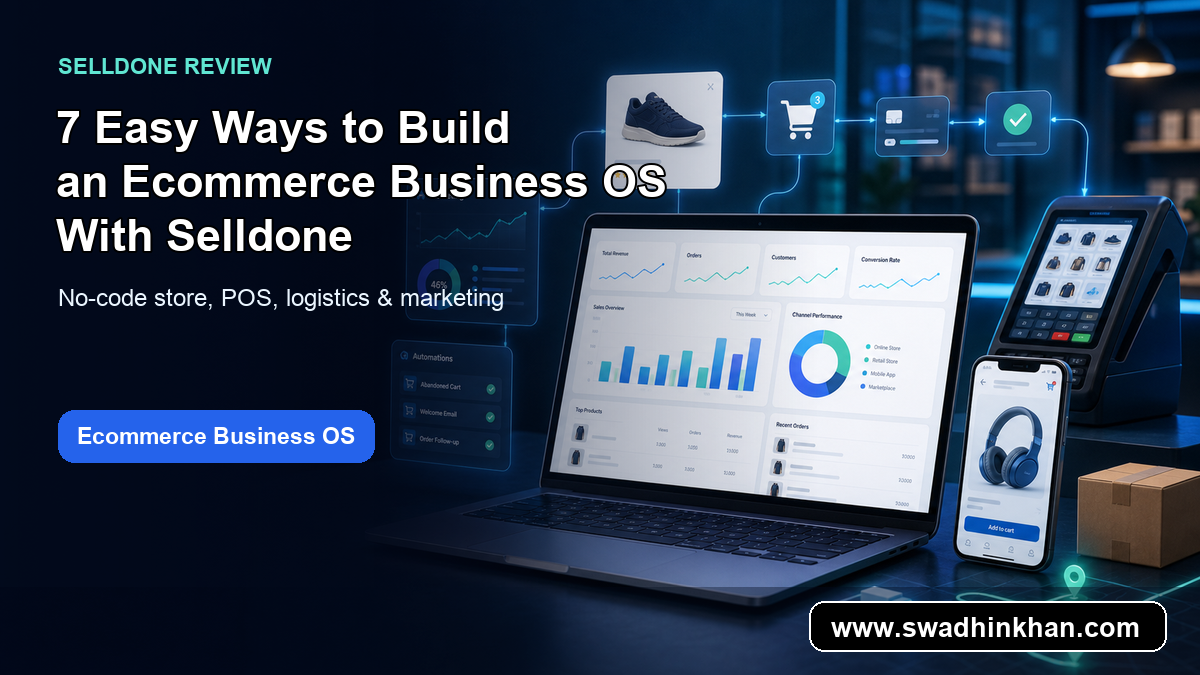
7 Easy Ways to Build an Ecommerce Business OS With Selldone
Build an ecommerce business OS with Selldone, a no-code ecommerce platform, online store builder, POS software, and marketing toolkit for modern stores
Conclusion
Hedy AI gives professionals a practical way to master professional conversations with AI. It can help with confidence, structure, real-time suggestions, and follow-up notes. If meetings are part of your daily work and you want a more supportive way to handle them, Hedy AI on AppSumo is worth reviewing while the lifetime deal is available.
For more software reviews and AI workflow ideas, browse the latest posts on Swadhin Khan or read my guide on turning documents into presentations with AI.