

Swairish Site Security with SOC
Practical WordPress security with clearer response.
Monitor activity, inspect risky requests, scan files, harden the site, and export evidence from one focused WordPress workspace. Start with the free plugin and extend into a connected SOC workflow when the site needs more control.
- Free scanner, firewall controls, hardening, and reports.
- Pro SOC visibility, alerts, response, and recovery tools.
- One paid license activates one WordPress site.
Security features
Coverage that helps you see, decide, and respond.
The workflow is organized around the jobs a WordPress owner actually needs to do: understand activity, reduce exposure, investigate a finding, and keep evidence ready.
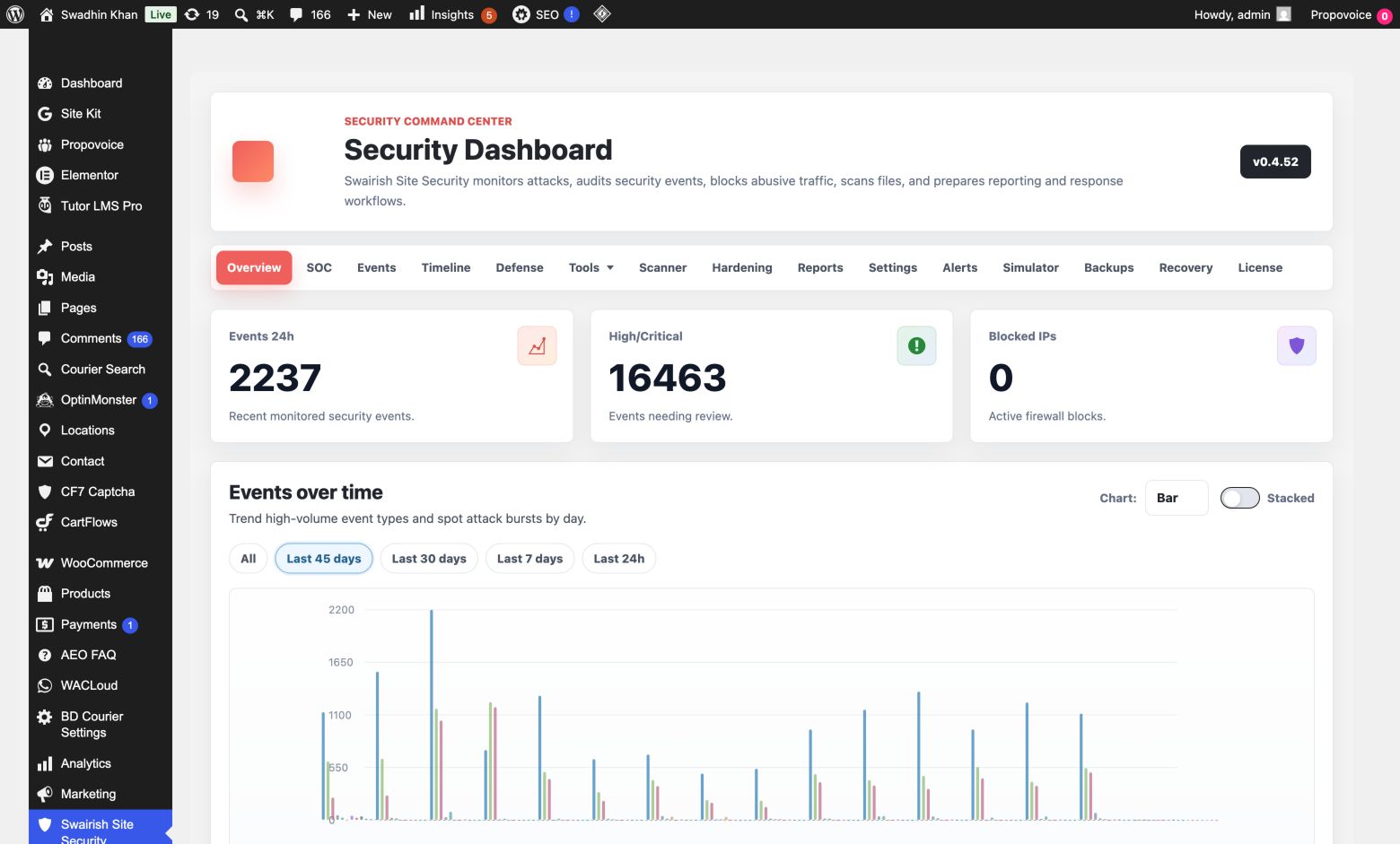
Security overview
Readable posture, event counts, severity mix, category breakdown, active blocks, and scan recommendations.
FreeActive defense
Detects suspicious requests, scans, login sprays, and abuse patterns before applying configured rate limits or blocks.
FreeFile intelligence
Scan suspicious and sensitive files, review permissions, inspect obfuscation signals, verify core integrity, and quarantine findings.
FreeHardening controls
Manage login URL, XML-RPC, REST exposure, indexing, headers, permissions, CAPTCHA options, and attack-surface controls.
FreeSOC dashboard
Move from a one-off scan into live security visibility with severity, category, event, and session correlation views.
ProRecovery workflows
Use full backup and restore, guided cleanup, repair assistance, and white-screen recovery tools when an incident needs action.
ProSee what is happening before it becomes a blind spot.
Pro turns raw events into a more useful operating view. The dashboard groups severity and category signals, surfaces high-risk activity, and gives an analyst-friendly way to review sessions by IP, user agent, or user.
- Live event view with auto-refresh and filtered activity.
- Severity and category summaries that make the riskiest patterns visible.
- Timeline and session correlation for faster incident review.
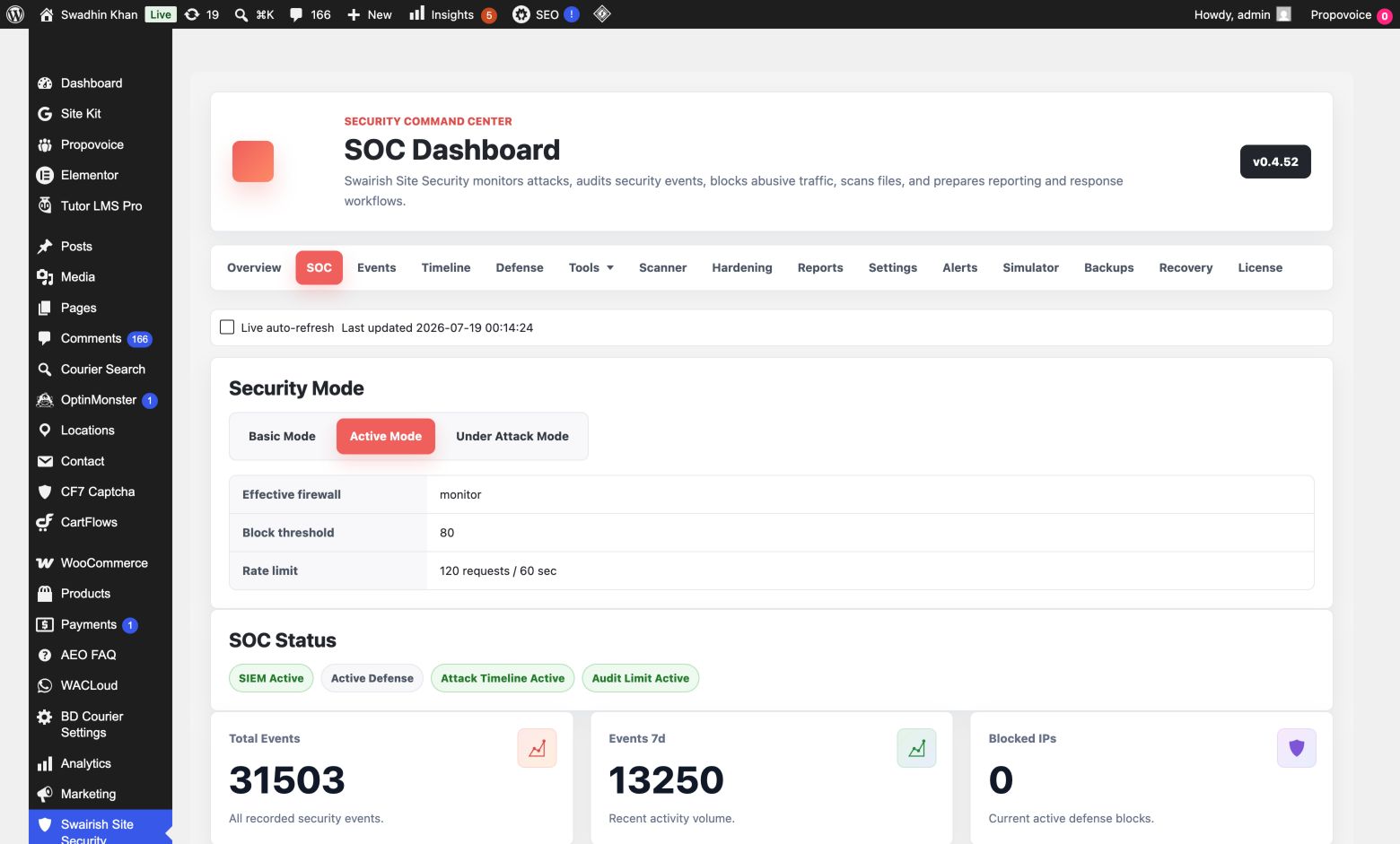
Reduce the attack surface without leaving the admin panel.
Hardening controls make practical choices visible. Switch protective measures on or off, review their impact, and keep the team aligned on what is active for login access, endpoints, permissions, and bots.
- Change the login URL and control XML-RPC, REST, indexing, and security headers.
- Maintain IP and CIDR blocks with temporary and permanent response options.
- Configure normal text, Google, or Cloudflare CAPTCHA for supported forms.
SOC-grade event logging
More context for the moments that matter.
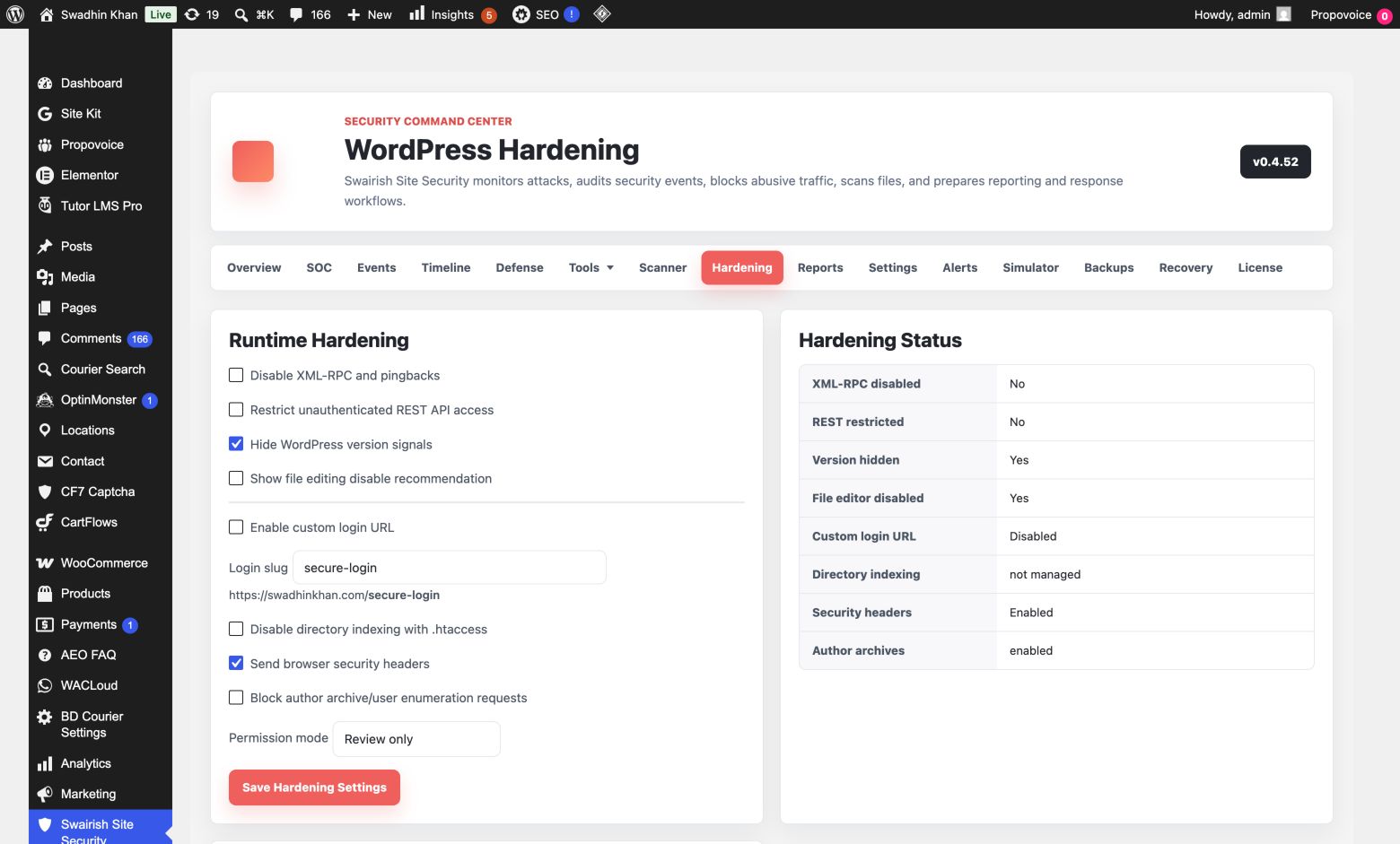
Pro captures and organizes useful event detail, so an alert is not just a red badge. It gives the operator enough context to understand what happened, where it happened, and how to respond.
- 01IP, method, URI, user agent, severity, category, and risk context for monitored activity.
- 02OWASP and MITRE mapping for suspicious HTTP requests and report-ready incident review.
- 03Alert routing by email or SIEM destination, with filters that keep critical events visible.
- 04Safe threat simulations that produce synthetic evidence without attacking the site or locking out the current admin.
Reports and recovery
Keep evidence usable when someone needs an answer.
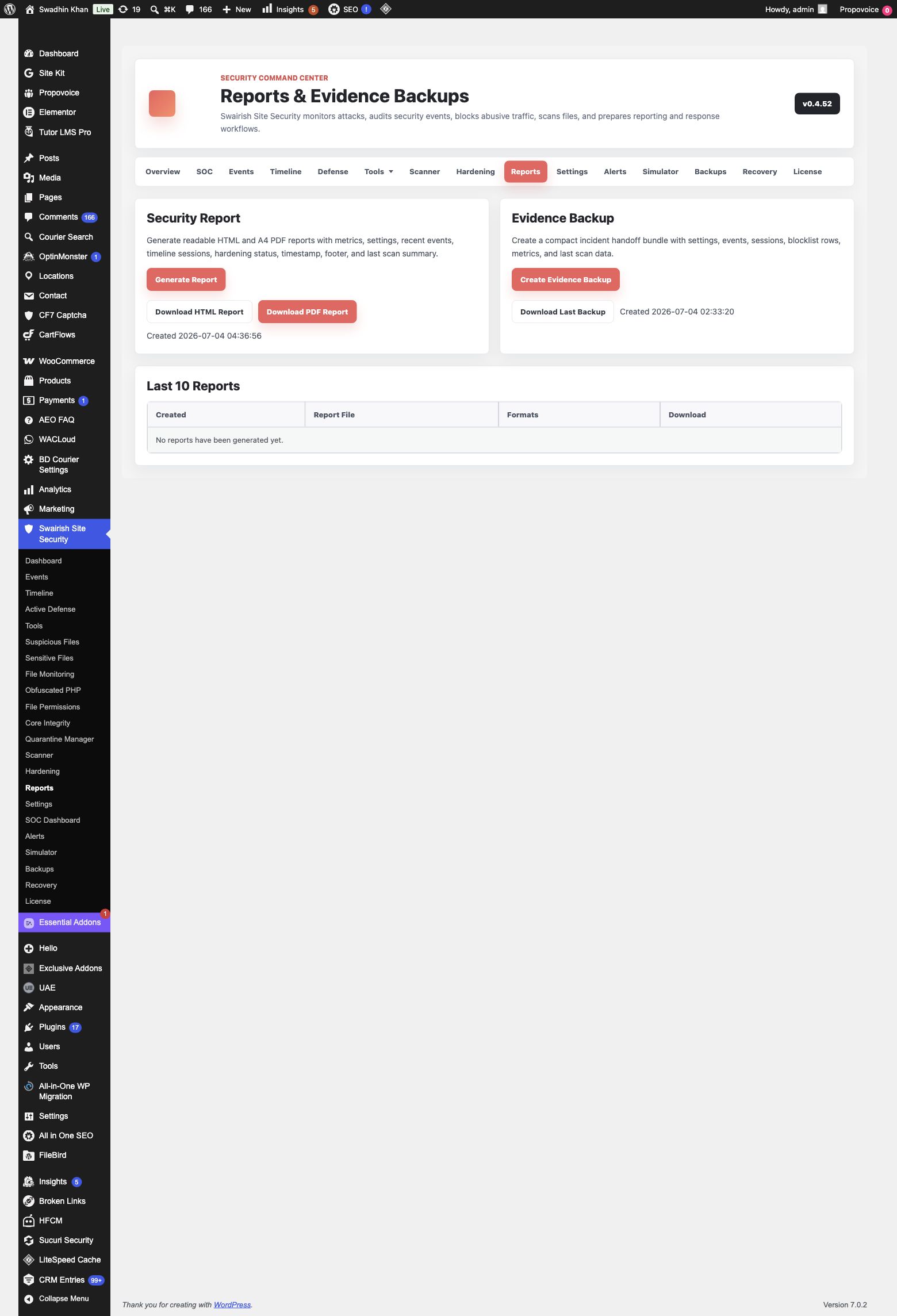
Generate branded, A4-ready PDF and HTML reports with site details, timestamp, findings, event history, and response context. The reports area keeps recent generated files available for download, while Pro extends the workflow into complete backup, restore, cleanup, and repair assistance.
Straightforward licensing
Choose the coverage that fits the sites you manage.
Free
Protection fundamentals for one WordPress site.
- Overview, events, scanning, and file tools
- Hardening, firewall controls, CAPTCHA, and quarantine
- PDF/HTML reports and evidence export
Pro Single
Full SOC workflow for one production site.
- Everything in Free
- SOC dashboard, timeline, alerts, SIEM, and simulations
- Backup/restore, cleanup, and recovery tools
Pro 10-Site
Connected protection for a small portfolio.
- All Pro controls for 10 sites
- Alerting, reporting, response, and recovery
- One paid activation per connected site
Agency
For teams managing client WordPress sites.
- All Pro controls for up to 100 sites
- Portfolio-ready reports, response, and recovery
- Commercial workflow for an agency team
Free and Pro are separate packages. The free plugin does not ask for a license. After buying Pro, install the Pro ZIP and activate its Dodo license key. License limits are applied to the purchased package.
Plan comparison
A useful free foundation. A complete Pro response workspace.
Every paid tier includes the same Pro controls. The difference is the number of WordPress sites covered by the subscription.
| Capability | Free | Pro Single | Pro 10-Site | Agency |
|---|---|---|---|---|
| Overview, event logging, scanner, file tools, quarantine | Included | Included | Included | Included |
| Hardening, firewall controls, blocklist, CAPTCHA | Included | Included | Included | Included |
| HTML/A4 PDF reports and evidence export | Included | Included | Included | Included |
| SOC dashboard, live view, timeline, session correlation | Not included | Included | Included | Included |
| Alert routing, SIEM destinations, threat simulator | Not included | Included | Included | Included |
| Backup/restore, cleanup, repair, white-screen recovery | Not included | Included | Included | Included |
| Sites covered | 1 site | 1 site | 10 sites | 100 sites |
Questions
Before you install.
A few details on packages, licensing, safe simulations, and how the protection workflow fits inside WordPress.
Does the free plugin need a license key?
No. Free is a separate WordPress.org package and does not show a license input. It includes the core security workflow listed in the Free plan.
How does Pro activation work?
After purchase, install the separate Pro ZIP and enter the Dodo license key in the Pro license screen. A valid active license unlocks the Pro-only modules for the purchased site allowance.
Can one Pro license be used on multiple sites?
Each paid activation covers one site. Choose Pro 10-Site or Agency when you need a higher number of site activations.
Do threat simulations attack my website?
No. The simulator records safe synthetic events for login spray, SQL injection, XSS, and malicious upload indicators. It does not write malware or lock out the current administrator.
Can I download reports after they are generated?
Yes. The reports workspace keeps recent generated report and evidence files available for download, alongside the timestamp and incident context.
What happens when a Pro license expires or is inactive?
Pro-only modules become unavailable until the license is active again. The free security features remain available and the dashboard clearly explains the license status.
Start with confidence
Protect the WordPress site you are responsible for.
Install the free plugin for practical security controls, or choose Pro for SOC visibility, response workflows, and recovery tools in the same familiar admin area.