

Subscribr review is the core topic of this updated guide. This Subscribr Review: Better YouTube Scripts? 2026 Verdict article now opens with the target phrase clearly, then keeps the rest of the analysis focused on practical value, decision points, and next steps.
Subscribr review: Subscribr is an AI YouTube script writer for creators who need stronger hooks, cleaner outlines, better pacing, and faster video packaging. This 2026 review explains how it handles scripts, titles, descriptions, Shorts ideas, pricing, pros, cons, and whether the AppSumo deal is worth buying.
If you publish YouTube videos regularly, the blank page is expensive. In practice, Subscribr helps turn rough ideas into structured scripts. The best results still come when you add your own stories, examples, voice, and audience knowledge.
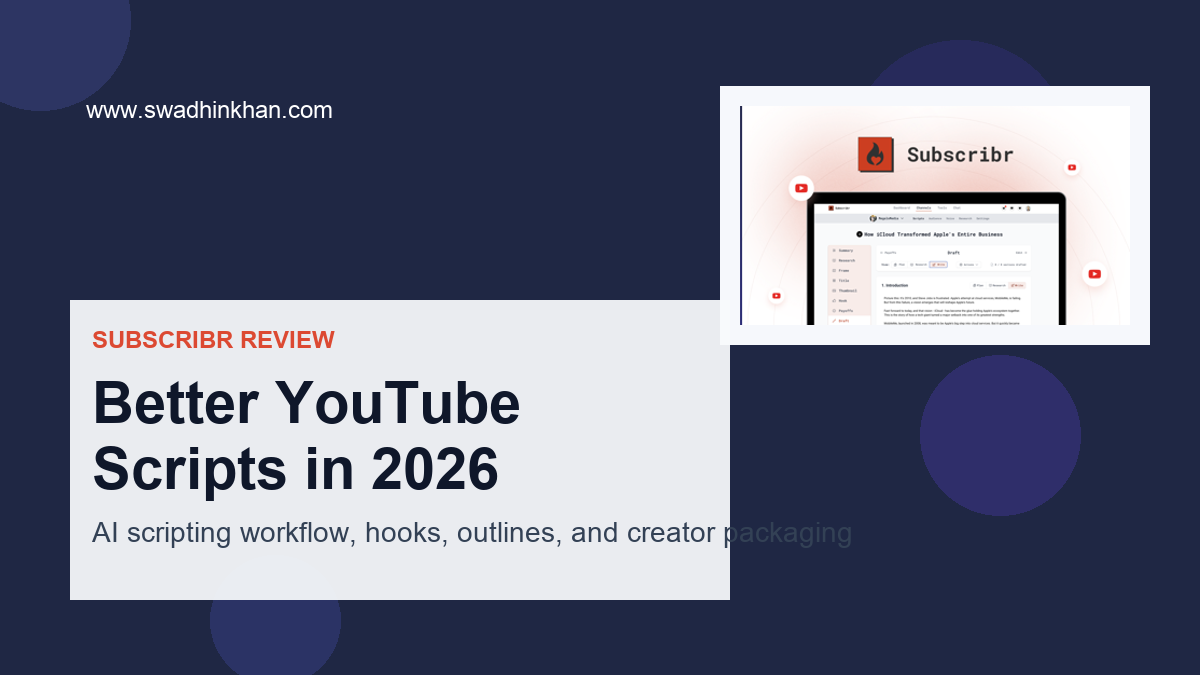
Subscribr Review: Quick Verdict
For most creators, Subscribr is best when you want faster YouTube scripts without losing structure. It is strongest for first drafts, hooks, outlines, and packaging ideas; however, final nuance still needs a human edit.
What Is Subscribr?
Subscribr is an AI writing tool built to help creators draft full YouTube scripts, hooks, titles, descriptions, tags, and chapters in minutes. It focuses on video-first structure: punchy hooks, clean outlines, pacing beats, and clear CTAs. It also supports different formats like tutorials, product reviews, listicles, and shorts. On the AppSumo page, Subscribr positions itself as a fast, guided workflow for scripting and packaging videos so you can publish more with less friction.
Subscribr Review: My Hands-On Test
For the last 48 hours, I used Subscribr on three real videos: a camera mic review, a how-to tutorial, and a YouTube Shorts explainer. First, I wanted to see if this tool could take messy notes and produce scripts that feel human, keep viewers engaged, and save me hours.
Subscribr Review: Hook and Outline Workflow
Then I started by creating a new project and choosing a template. The Review and Tutorial templates got me from idea to structure in under two minutes. I typed a working title and a one-sentence goal, then selected a tone (casual expert) and audience (beginner creators). Subscribr generated a hook, outline, and full draft. I was impressed by how fast it produced a clean, logical flow with segment beats and CTA placement—this speed is a big pro.
After that, I refined the hook. There’s a “make it spicier” option that adds tension and specificity. It worked well for the mic review. The AI suggested a results-first opener and added a quick credibility line, which lifted the first 15 seconds. That said, the first pass sometimes leaned generic if my prompt lacked detail—a con you should expect with any AI writer. Adding brand voice notes and a clear value promise fixed most of that.
I liked the pacing meter and word-count targets per section. It nudged me to trim fluff and keep segments tight for retention. The built-in “B‑roll and shot ideas” suggestions were handy; they weren’t perfect, but they sparked useful inserts and cutaway notes. On the downside, the tag suggestions felt basic and sometimes repeated obvious phrases. I had better luck when I fed it seed keywords and rival titles.
You may also read
SendFox Review 2026: Email for Creators on a Budget
SendFox review for creators on a budget. See features, automations, landing pages, pricing, pros, cons, and whether SendFox is worth it in 2026.
Subscribr Review: Exporting, Shorts, and Final Polish
Exporting was smooth. Next, I copied the script into Google Docs and also tried the teleprompter-style view in my browser. That view was a surprise pro for quick test reads. However, I wanted deeper keyword research inside the tool; Subscribr gives solid starting points, but I still checked YouTube search and competitor titles on my own.
On my tutorial video, the Shorts mode gave me two tight 30–45 second cuts from the long script. These were helpful for repurposing. I also liked the built-in product review template that inserted pros/cons beats without sounding salesy when I added my notes.
Overall, Subscribr did the heavy lifting: outline, hook, pacing, and packaging. I still added my stories, data points, and camera notes. Think of it as a fast first draft with smart scaffolding. If you want perfect nuance out of the box, you’ll still need light edits. But for speed and structure, this Subscribr review found it delivers.
Subscribr Features for YouTube Creators
- AI YouTube Script Generator: Drafts hooks, outlines, full scripts, CTAs, and sign‑offs.
- Format Templates: Purpose-built for tutorials, product reviews, listicles, and YouTube Shorts.
- Title, Description, Tags, and Chapters: Packages every upload with SEO-friendly metadata.
- Pacing and Readability Prompts: Section word counts and beat suggestions to reduce drop‑offs.
- Brand Voice and Tone Controls: Save profiles for consistent style across videos and channels.
- B‑roll and Shot Suggestions: Generates visual ideas to match each talking point.
- Repurpose Mode: Turns long videos into Shorts scripts with strong openers.
- Multilingual Support: Create scripts and metadata in multiple languages.
- Collaboration and Versioning: Keep drafts, iterations, and notes in one place.
- Quick Tutorials and Product Updates: In-app tips and a changelog to track improvements.
What I Like
- Fast first drafts that respect YouTube pacing and retention goals.
- Hooks improve with one-click “intensify” or “make it more specific.”
- Purpose-built templates that match creator workflows (tutorials, reviews, listicles).
- Strong packaging support: titles, descriptions, tags, and chapters are ready to paste.
- Helpful B‑roll prompts that spark better visuals and editing ideas.
- Shorts repurposing saves time and multiplies your reach.
- Simple, clean UI that keeps you moving from idea to publish.
- Solid brand voice settings to keep tone consistent across videos.
- Teleprompter-style reading mode for quick practice runs.
What Could Be Improved
- Keyword suggestions are basic; you still need manual research for competitive niches.
- First drafts can read generic if your prompt lacks detail; add specifics for best results.
- Tag recommendations sometimes repeat obvious phrases and need trimming.
Subscribr Pricing and AppSumo Deal
Below is a quick price snapshot based on the current AppSumo listing. AppSumo deals change, so always confirm on the deal page before you buy.
| Plan (AppSumo) | Intended For | Core Inclusions | Refund Policy |
|---|---|---|---|
| Tier 1 | Solo creators | AI script generator, templates, titles/descriptions/tags, basic B‑roll prompts | 60-day AppSumo |
| Tier 2 | Growing channels | Everything in Tier 1 + higher monthly credits, brand voice profiles, repurpose | |
| Tier 3 | Agencies/multi-channels | Everything in Tier 2 + larger limits, collaboration, priority improvements |
You may also read
Amical AI Review: Dictate Text in Any App in 2026
Amical AI is an AI dictation app to dictate text in any app. See setup, voice typing tips, features, pros, cons, pricing, and AppSumo deal.
Note: Limits (like monthly credits, user seats, and channel/brand caps) are defined on the AppSumo page. This Subscribr review recommends checking the current caps and stacking options if available.
Should You Buy Subscribr?
If you need to publish more without lowering quality, Subscribr hits the sweet spot. It removes blank-page fear, gives you strong hooks and structure, and packages videos with metadata that’s ready to paste. In my Subscribr review testing, I cut drafting time by more than half and shipped scripts that read clean and on-brand. You still bring the story and insights; Subscribr brings a fast framework that boosts retention and output. If you live in tutorials, product updates, and review formats, it’s even better. The AppSumo lifetime deal makes it a low-risk way to level up your scripting workflow and stay consistent week after week.
Subscribr Lifetime Deal Overview
| Item | Details |
|---|---|
| Deal Type | Lifetime access via AppSumo (one-time purchase) |
| Tiers | Multiple tiers with increasing monthly credits and features |
| Major Inclusions | Script generator, templates, titles/descriptions/tags, chapters, repurpose mode |
| Stacking | Often supported on AppSumo to raise limits (verify on page) |
| Updates | Future updates tied to purchased plan level |
| Refund | 60-day AppSumo guarantee |
Subscribr Alternatives and Competitors
| Tool | Core Focus | Standout Strength | Where Subscribr Wins | Potential Trade-off |
|---|---|---|---|---|
| Subscribr | YouTube scripting + packaging | Hooks, pacing, templates, metadata | End-to-end video-first workflow | Keyword depth could be stronger |
| Jasper | General AI writing | Many templates, brand voice | Video-specific beats and chapters | Jasper costs more at scale |
| vidIQ (AI tools) | YouTube optimization | Research, trends, SEO tools | Faster script drafting and structure | vidIQ has deeper research tools |
| Writesonic | General AI writing | Fast, flexible content | Video-first templates and B‑roll cues | Broader, less video‑specific focus |
Subscribr FAQ
Is Subscribr good for beginners?
Yes. This Subscribr review found the templates and step-by-step prompts very beginner-friendly. You can start with a title and goal, then refine the hook, outline, and CTA in minutes.
Will Subscribr help me write better YouTube scripts if I already have experience?
It can. Think of it as a speed and structure assistant. It won’t replace your voice, but it makes drafting and packaging faster so you can publish more.
Can Subscribr write scripts for Shorts and long-form videos?
Yes. There’s a repurpose mode for Shorts and templates for tutorials, reviews, and listicles. In my tests, it created tight 30–45 second cuts that were easy to polish.
Does Subscribr handle titles, descriptions, and tags?
Yes. It suggests titles, descriptions, tags, and even chapters. This Subscribr review suggests you still check keywords and trim tags for accuracy.
Is there a refund if I don’t like it?
AppSumo typically offers a 60-day refund window on lifetime deals. Confirm the policy on the deal page at checkout.
You may also read

DepositPhotos Lifetime Deal Review: Stock Library Verdict
DepositPhotos lifetime deal review for creators, agencies, and marketers. See stock assets, AI tools, pricing, pros, cons, use cases, and AppSumo buying advice.
Related Creator Tool Reviews
If you are building a creator workflow, read my FlexClip pricing review, Magic product-video review, and MagicFit ad workflow guide. For YouTube discovery basics, review YouTube Help on tags and metadata.
Subscribr Review Conclusion
After a hands-on Subscribr review, I’m confident it helps you write better YouTube scripts faster. It shines in hooks, structure, and metadata so you can focus on story, shots, and delivery. Add a few details to your prompts and the drafts feel on-brand and ready to record. If you make tutorials, product updates, or reviews, Subscribr is a smart buy—especially on the AppSumo lifetime deal.