
$0
Early access · no login required.
- 100 real webhook messages / month
- Multiple rules, senders, conditions, and webhooks
- Encrypted local retry and history

Mac-native message routing
Messages Relay is a native macOS app that matches Apple Messages by exact sender and Contains or Exact conditions, then forwards eligible content to webhooks, email, or Slack. Rules, retries, usage, and history stay on your Mac.
A quiet utility, not another inbox
Messages Relay lives in the menu bar and opens into a native command center. Rule and destination rails, explicit back navigation, searchable history, account, plan usage, and Standard, Low Power, or Manual checking each have a clear home.
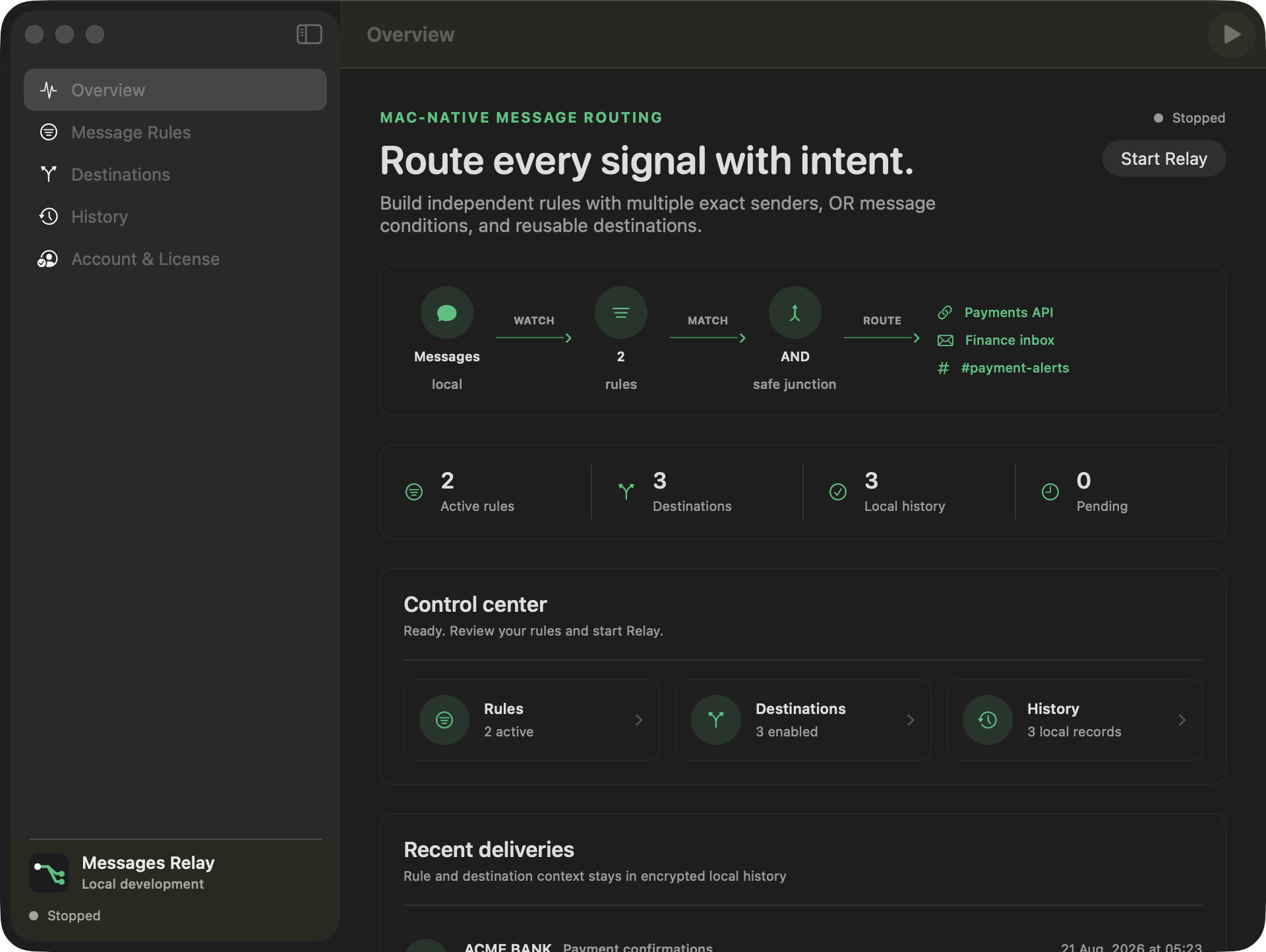
Many rules, reusable exits
Phone numbers, Apple ID emails, and carrier sender IDs are independent OR choices inside each rule. Group filtering stays rule-specific.
Press Return to save one condition at a time. Any message condition can match, but the sender group and message group must both pass.
Create multiple Webhook, Apple Mail, and Slack routes, then attach any combination to each rule. A shared route receives one copy even when multiple rules match.
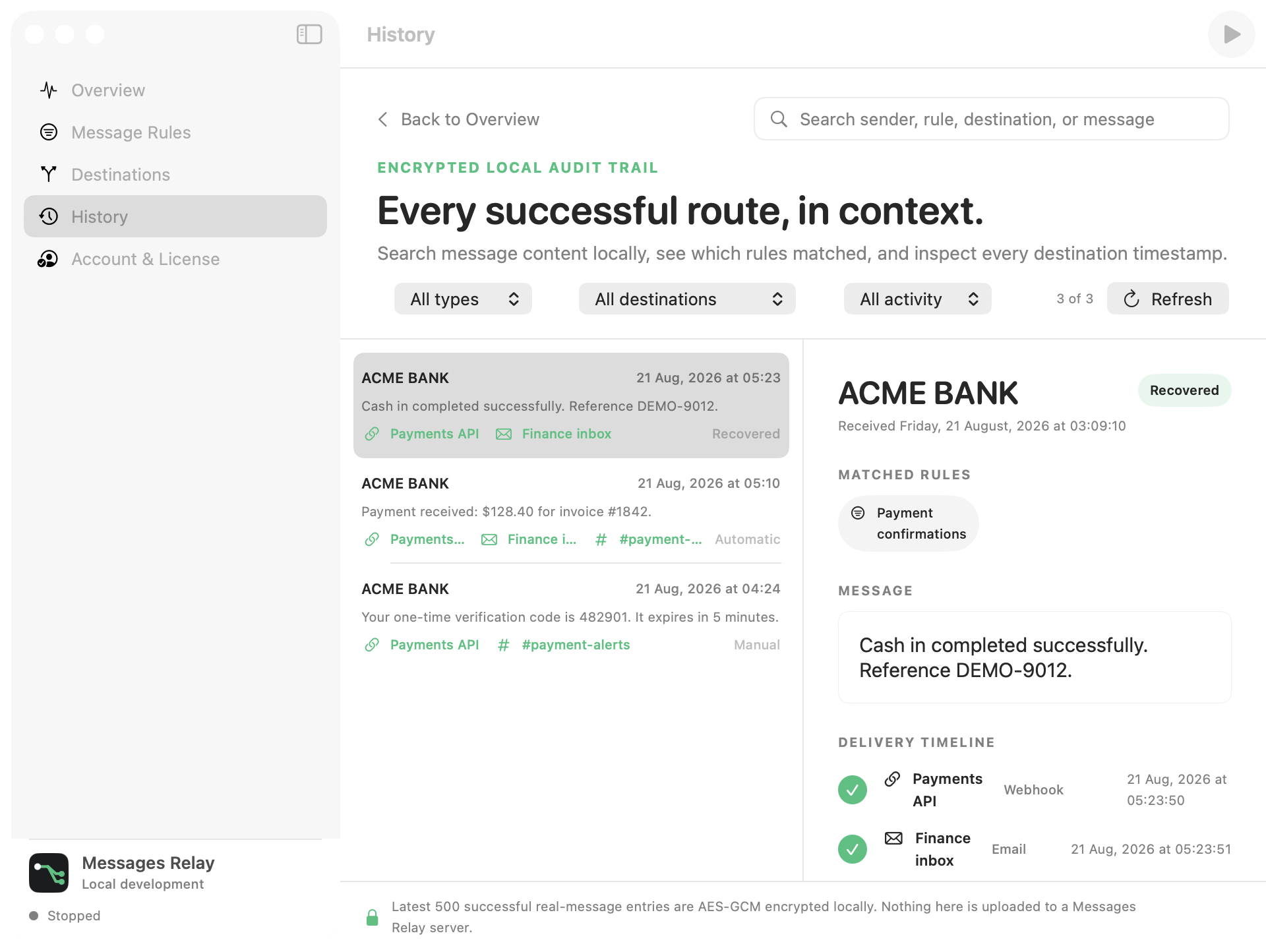
Evidence, not guesswork
Search by sender, rule, destination, or message; filter by destination type, exact route, or origin; then inspect every successful timestamp. A clear Back to Overview action keeps navigation obvious.
Privacy architecture
There is no Messages Relay backend between Messages and your enabled destinations.
Messages Relay opens Apple’s local Messages database read-only. Full Disk Access is required because macOS protects that file. Apple does not provide a public incoming-message event API, so a future macOS release may require a compatibility update.
Two clear packages
Early access · no login required.
Unlimited messages on 3 Macs.
Questions before you route
No. Messages Relay has no message-relay backend. Matching, queueing, retry state, and history run locally. A matched body leaves the Mac only for Webhook, Email, or Slack destinations you enable.
Exact senders are OR choices. Contains and Exact message checks are another OR group. The two groups are joined with AND, so a message must come from a configured sender and satisfy at least one saved message check. With no message checks, any non-empty text from a matching sender is eligible.
Standard checks every 30 seconds and is recommended for timely alerts. Low Power checks every 4 hours. Manual performs no background checks and scans only when you press Check Now; slower modes also delay retries.
Free requires no login and includes 100 real webhook messages per UTC month. Annual costs $10/year, activates on up to 3 Macs, removes the message limit, and unlocks Email and Slack.
macOS protects the local Messages database. Messages Relay reads it in SQLite read-only mode and never edits, sends, or deletes an Apple Messages conversation.
You create an incoming webhook for a Slack channel and paste it into the app. The URL stays in Keychain; matched content is posted directly from your Mac to Slack.
Yes. Routing happens on your Mac, so the app must be running and the Mac must be awake and connected. Confirmed recovery can find eligible missed matches from the previous 24 hours.
Only OpenID identity, verified email, and basic profile are requested. The app does not request Gmail, Drive, contacts, or Messages access.

Messages Relay for macOS
Thank you for your interest. Schedule a one-on-one consultation and receive personalized recommendations tailored to your business goals.