

Help product pages rank better in AI search.
Download free v1.0.18AEO FAQ Generator for WooCommerce · Free 1.0.18
Get your products cited by AI engines.
Turn WooCommerce product data into grounded FAQs, visible buyer answers, and FAQPage schema that gives answer engines a cleaner path to understand your products.
- Help product pages rank better in AI search with answer-ready content.
- Reduce repeat pre-sale questions with clear FAQs shoppers can read.
- Keep visible answers and structured data synced from the same source.
Built for WooCommerce stores that want more AI visibility without manual FAQ busywork. Current release: Free 1.0.18 and Pro 1.0.14.
Built around the outcome store owners want.
Every screen points toward one job: make product pages easier for shoppers to trust and easier for AI answer engines to cite.
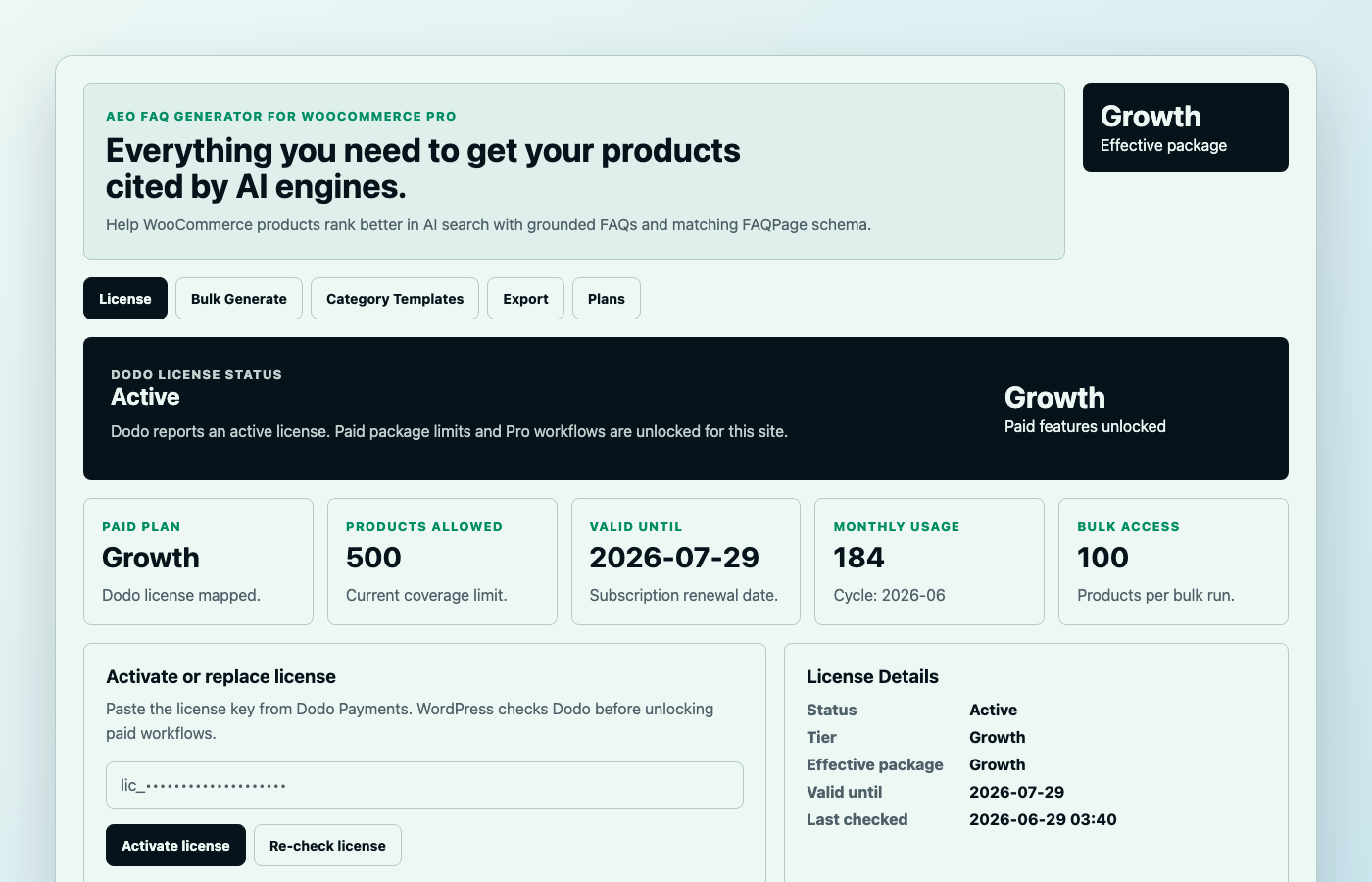
Know exactly what your plan can unlock.
Plan, effective package, product coverage, usage, renewal details, and locked Pro workflows are visible in the dashboard, so store owners know when to stay free and when to upgrade.
Upgrade only when more AI-search coverage matters.
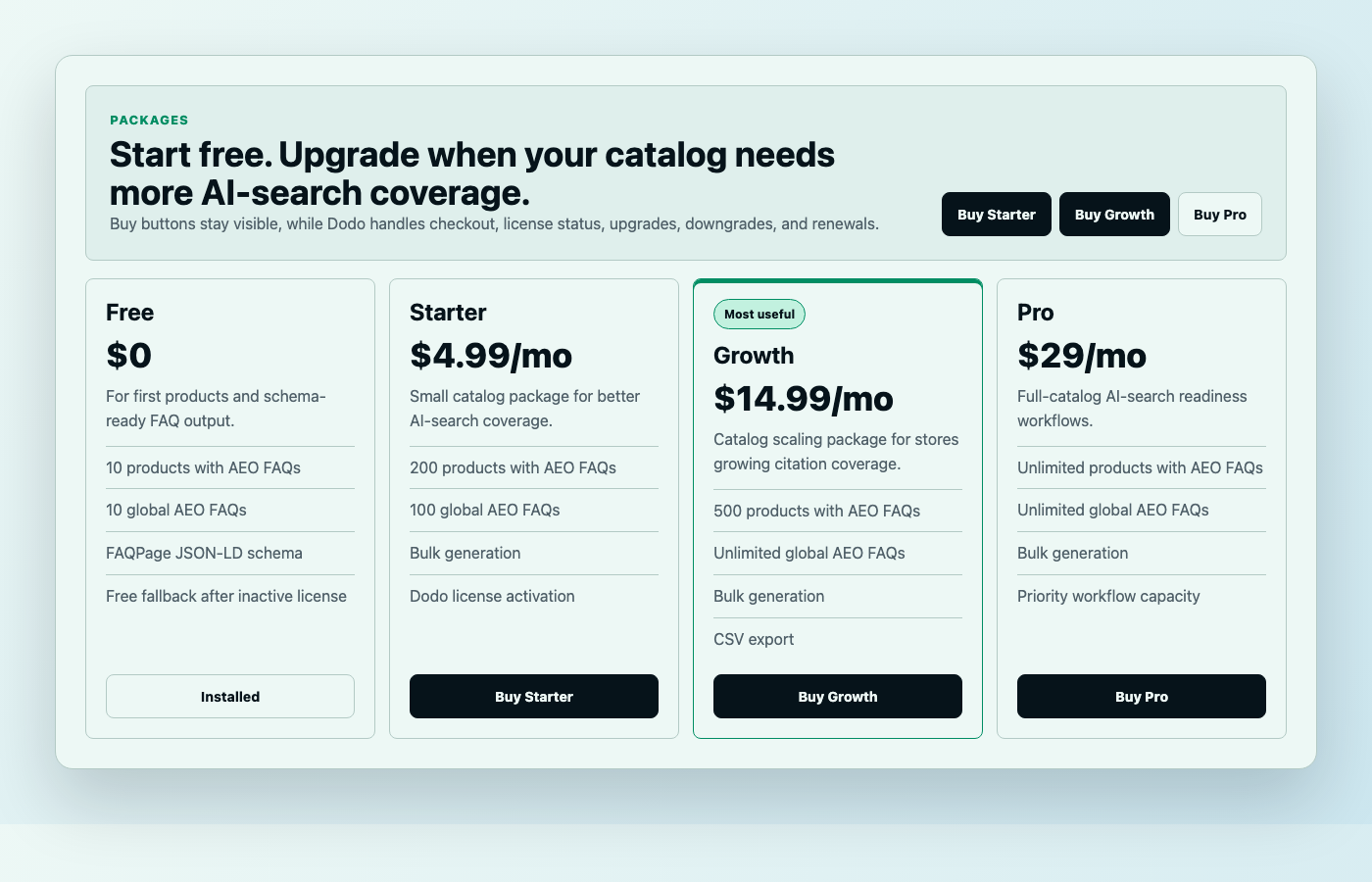
Free, Starter, Growth, and Pro packages map to catalog size, so the buying decision is simple: cover more products, unlock bulk workflows, and keep licensing managed by Dodo.
Turn each product page into a cleaner answer source.
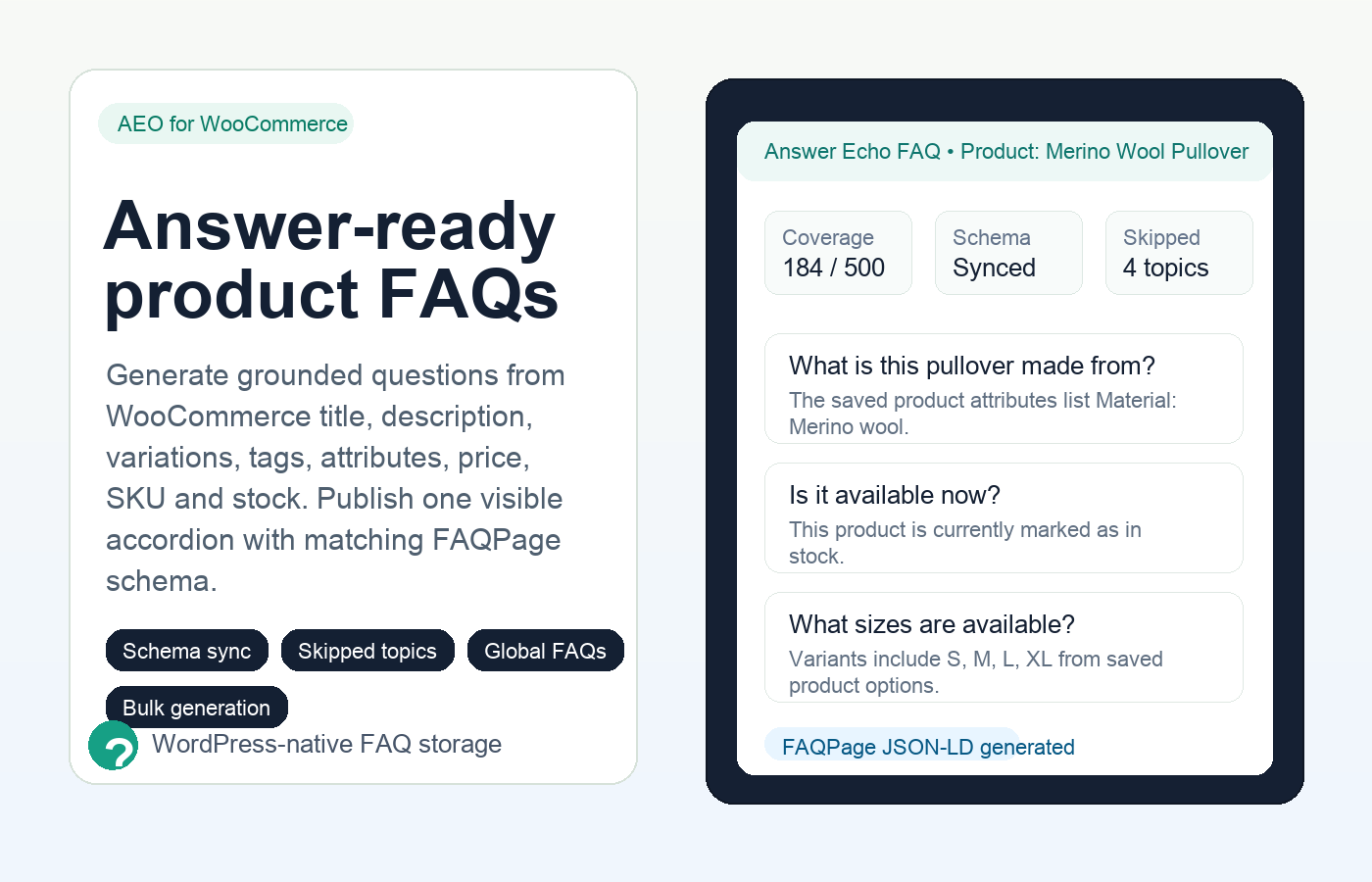
The WooCommerce product page receives a visible FAQ accordion and FAQPage JSON-LD from one answer set, helping shoppers and AI engines read the same product truth.
From product data to answer-ready FAQs.
Use the product information you already maintain to create direct, conversational answers that shoppers understand and answer engines can parse.
Ground every answer in real product data.
Title, description, variations, attributes, tags, price, SKU, and stock become the source material.
Write like buyers ask.
Questions are conversational, answers lead with the direct response, and unsupported claims are skipped.
Publish once, sync everywhere.
The visible accordion and FAQPage JSON-LD use the same stored rows, so content and schema do not drift.
Key features that turn into store benefits.
AEO FAQ Generator is not just a FAQ box. It gives each product page clearer answers, safer claims, cleaner schema, and more coverage as your catalog grows.
Create answers from product data, not guesswork.
Generate product-specific FAQs from WooCommerce titles, descriptions, variations, attributes, tags, price, SKU, and stock.
Make schema believable because it matches the page.
The accordion and structured data render from the same saved FAQ rows, keeping the answer engine signal consistent.
Answer buying-policy questions once.
Add shipping, returns, payment, support, warranty, or delivery answers once and reuse them across product pages.
Start faster for common product types.
Use templates for apparel, electronics, beauty, supplements, food, home goods, jewelry, accessories, books, and generic products.
Keep FAQ content editable inside WordPress.
FAQs live in product meta and plugin options instead of being mixed into long product descriptions.
Cover more products without theme edits.
Move from Lite to Pro when the catalog grows and bulk generation becomes worth it.
Review generated answers outside WordPress.
Export FAQ data for audits, review, or content operations when needed.
Be the answer AI can quote.
When answer engines summarize products, they look for clear question-and-answer content, direct claims, and structured data that matches what visitors can see.
The generator skips FAQ topics that are not supported by product data and reports what was skipped. That protects product trust by avoiding invented shipping, warranty, sizing, material, or compatibility claims.
Stop writing FAQs that AI ignores.
AEO needs a stricter workflow than manual FAQ writing: conversational questions, direct answers, native storage, skipped unsupported claims, and schema that matches visible content.
| Capability | Manual writing | Typical FAQ plugin | AEO FAQ Generator |
|---|---|---|---|
| Citation-ready product answers | No | No | Yes |
| Visible copy and schema stay aligned | No | Partial | Yes |
| Answers grounded in WooCommerce fields | No | No | Yes |
| Unsupported claims skipped | No | No | Yes |
| Storewide buying-policy answers | Manual | Manual | Automatic |
| Category-specific FAQ starting points | No | No | Yes |
Start free, then unlock more AI-search coverage.
Plan limits are based on distinct products with active AEO FAQs. Saved rows stay in WordPress, but public FAQ output and schema follow the current Dodo license.
Free
$0Prove the workflow on your first 10 products.
- 10 products with AEO FAQs
- 10 global AEO FAQs
- FAQPage JSON-LD schema
- Local product-data generator
Starter
$4.99/moGive small catalogs full AEO FAQ coverage.
- 200 products with AEO FAQs
- 100 global AEO FAQs
- Bulk generation
- Dodo license activation
Growth
$14.99/moScale answer-ready content across growing stores.
- 500 products with AEO FAQs
- Unlimited global AEO FAQs
- Bulk generation
- CSV export
Pro
$29/moKeep unlimited catalogs prepared for AI discovery.
- Unlimited products with AEO FAQs
- Unlimited global AEO FAQs
- Bulk generation
- Priority workflow capacity
Checkout, license activation, upgrades, downgrades, renewals, and cancellation are handled by Dodo Payments. The WordPress plugin can show Buy and Manage buttons, but it does not expose raw checkout fields, product IDs, API keys, webhook secrets, or seller configuration inside the plugin UI. If a paid plan expires or downgrades, extra saved paid coverage is preserved but hidden from the public accordion and FAQPage schema until the license is active again.
Questions before you turn it on.
Short answers for AI-search benefits, the schema workflow, and the plan model.
How does this help with AI search?
It gives each product page clear question-and-answer content, direct answers, grounded claims, and matching FAQPage schema so answer engines have cleaner product information to parse.
Does it guarantee AI citations?
No plugin can guarantee citations. The benefit is better structure: answer-ready copy, schema alignment, and product-data grounding that make your pages easier for answer engines to understand.
How does schema sync work?
The visible FAQ accordion and JSON-LD schema are rendered from the same saved FAQ rows, keeping structured data and visible content aligned.
Where are FAQs stored?
Product-specific FAQs are stored in WordPress product meta. Global answers are stored in plugin options, so they can be reused across product pages.
What counts against my plan?
Distinct products with active AEO FAQ output count toward the product limit. Regenerating an already-covered product does not count again.
What happens if a license expires or downgrades?
The plugin falls back to the current effective package. Saved FAQ rows are not deleted, but extra product FAQs, extra global FAQs, FAQPage schema output, bulk generation, category templates, and export tools are locked until Dodo validates the paid license again.
Do global FAQs count against product limits?
No. Global FAQ limits are separate from product limits.
What happens when product data changes?
You can regenerate product FAQs so answers reflect the latest title, description, attributes, variations, price, SKU, tags, and stock data.
Make every product page answer-ready.
Download the free version, cover your first 10 products, and give AI engines cleaner answers to extract from your WooCommerce store.
Download free v1.0.18