

Build an ecommerce business OS with Selldone if you want one place to manage online sales, offline sales, POS, logistics, marketing, SEO, and store operations without stacking plugins. Selldone is a no-code ecommerce platform listed on AppSumo for entrepreneurs, retailers, agencies, and teams that want a more unified way to launch and grow an online store.
In this Selldone review, I’ll break down how the platform works, who it is for, what the AppSumo deal includes, and how it can help you build an ecommerce business OS with fewer moving parts. You can check the current deal here: Selldone on AppSumo.
Disclosure: This post contains affiliate links. If you buy through my links, I may earn a commission at no extra cost to you.
How to Build an Ecommerce Business OS With Selldone
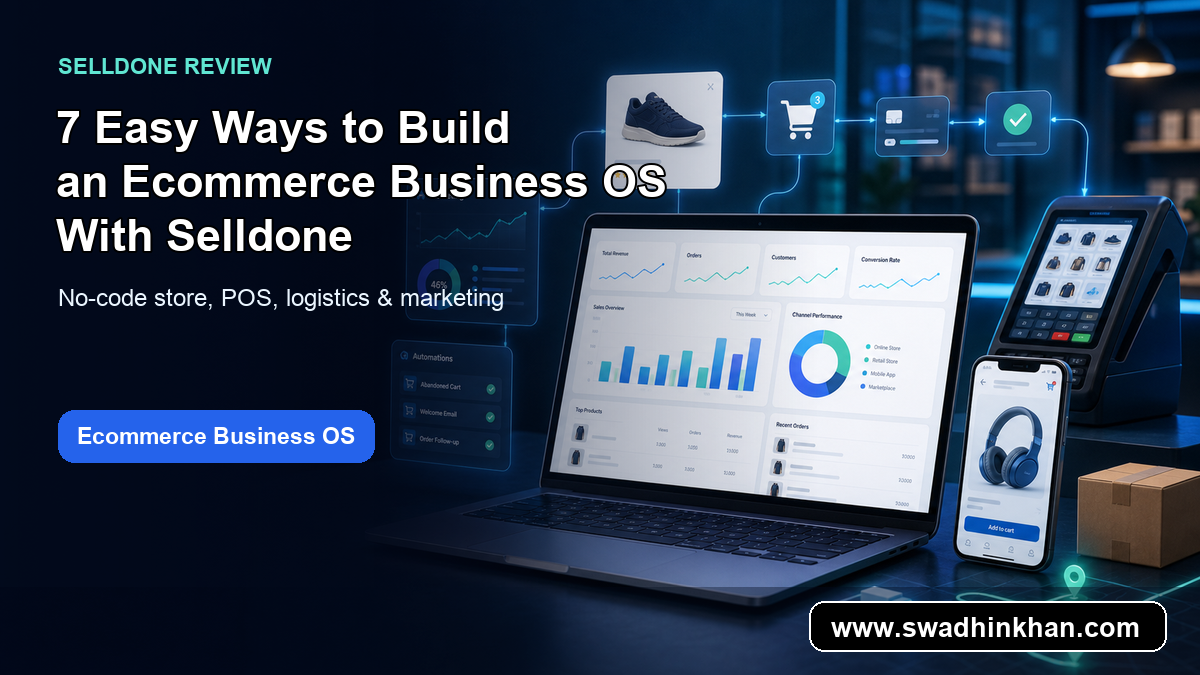
An ecommerce business OS is more than a storefront. It connects catalog management, checkout, order handling, customer data, marketing, SEO, delivery, and sometimes offline sales. Selldone positions itself as a platform with 1,500+ native features, so you can build an ecommerce business OS without relying on a fragile plugin stack.
Why Selldone Is Different From a Basic Store Builder
Many store builders focus mainly on pages and checkout. Selldone goes broader by combining online store tools with POS, logistics, marketing automation, and management features. That can matter if your business needs both online and offline workflows.
Who Should Consider Selldone
Selldone is best for entrepreneurs, agencies, retail brands, creators, and local businesses that want a no-code ecommerce platform but still need deeper operations tools. If you only need a tiny landing page, it may be more than you need. If you want a serious ecommerce business OS, it becomes more interesting.
Key Ecommerce Business OS Features in Selldone
The AppSumo listing highlights Selldone as an advanced business OS for offline and online stores. These are the feature groups that stood out to me.
For SEO-focused store owners, this ecommerce business OS approach is useful because the no-code ecommerce platform, online store builder, and POS software pieces are not treated like separate tools. Selldone keeps the store workflow connected from product setup to checkout, fulfillment, and follow-up marketing.
- No-code online store setup for ecommerce brands
- POS tools for offline and retail sales workflows
- Product, order, customer, and inventory management
- Marketing and campaign tools to support growth
- SEO-focused store features for better visibility
- Logistics and fulfillment support for operations
- A plugin-free approach with many native features

Selldone Ecommerce Business OS Pricing and AppSumo Deal
At the time of writing, Selldone is listed on AppSumo with lifetime deal pricing starting at $109. The listing also shows a 4.8 rating from 60+ reviews. Always check the live AppSumo page before buying because pricing, tiers, and availability can change.
You may also read

7 Easy Ways to Turn Documents Into Presentations With AI
Turn documents into presentations with AI in this Presenti review. See how Presenti, an AI presentation maker, speeds document to presentation workflows
Why the Lifetime Deal May Be Useful
For store owners, monthly ecommerce software fees can grow quickly. A lifetime deal can be attractive if the tool fits your workflow and saves you from paying for several separate apps. Selldone may be especially useful if you want ecommerce, POS, marketing, and logistics features in one place.
Pros and Cons of Selldone as an Ecommerce Business OS
Selldone Pros
- Broad ecommerce business OS feature set
- No-code setup for non-technical users
- Useful for online and offline selling workflows
- POS, logistics, marketing, and SEO tools in one platform
- Lifetime AppSumo pricing may reduce recurring software costs
Selldone Cons
- Large feature set may require learning time
- May be more than needed for very simple stores
- Migration from another ecommerce platform can take planning
- Users should compare tier limits before purchasing
7 Easy Ways to Use Selldone as an Ecommerce Business OS
1. Launch a No-Code Online Store
Use Selldone to create your storefront, add products, organize categories, and start selling without building a custom ecommerce stack.
2. Manage Products and Inventory
A good ecommerce business OS should make product and inventory updates easier. Selldone can help centralize product operations.
3. Connect Online and Offline Sales
Retailers can benefit from combining online orders and POS workflows, especially when selling through multiple channels.
4. Improve Store Marketing
Selldone includes marketing-oriented tools that can help store owners run campaigns and improve customer engagement.
5. Build SEO-Friendly Store Pages
SEO matters for ecommerce growth. Selldone’s built-in SEO tools can help store owners improve product and category visibility.
6. Organize Logistics and Fulfillment
Operations often become the hardest part of ecommerce. Logistics and fulfillment tools can help reduce manual work as order volume grows.
7. Replace Multiple Plugins
The biggest appeal is reducing the need for separate plugins and disconnected tools. That is why Selldone fits the ecommerce business OS positioning.
Final Verdict: Is Selldone Worth It?
Selldone is worth reviewing if you want to build an ecommerce business OS instead of only a basic online store. The platform is especially compelling for store owners who want native ecommerce, POS, logistics, marketing, and SEO features in one place. If that sounds like your workflow, Selldone on AppSumo is worth checking while the deal is available.
Why an Ecommerce Business OS Matters for Growing Stores
A normal online store builder can help you launch a storefront, but growth usually creates more moving parts. You need product management, checkout, customer data, POS software, fulfillment, marketing, and reporting. That is why an ecommerce business OS can be useful: it gives the business one operational base instead of many disconnected tools.
Reduce Plugin and App Overload
When a store depends on too many plugins, every update can become a risk. Selldone’s native-feature approach may help teams avoid plugin overload and keep more store functions inside one system.
Connect Online Store Builder and POS Software Workflows
Retailers that sell both online and offline need connected workflows. A platform that combines online store builder tools with POS software can help reduce duplicate inventory updates, missed orders, and inconsistent customer records.
You may also read

Signitic Review: Is This AppSumo Deal Worth It for Email Marketing?
Signitic review covering email signature management, campaign banners, analytics, pricing, pros, cons, and AppSumo buying fit.
Give Teams One Place to Manage Growth
An ecommerce business OS is helpful when multiple people manage the same business. Marketing, operations, customer support, and store managers can work from a more unified system instead of switching between too many tools.
Ecommerce Business OS Use Cases for Different Teams
Selldone can fit several types of ecommerce businesses. The best use case depends on whether you need a simple shop, a retail operating system, or a multi-channel commerce workflow.
For New Ecommerce Founders
New founders can use Selldone to launch faster without hiring a developer or building a custom stack. The no-code ecommerce platform approach is useful when you want to test products, collect payments, and manage orders quickly.
For Retail Stores With Offline Sales
Retail stores may benefit from Selldone because the platform includes offline and POS-style workflows. If you already sell in person and want to add online sales, this can help bridge the gap.
For Agencies Building Client Stores
Agencies can use Selldone when clients need more than a basic storefront. A client may ask for ecommerce, logistics, SEO, and marketing tools together, and an ecommerce business OS can simplify the handoff.
For Brands That Want Better Operations
Growing brands need better order visibility, cleaner customer data, and smoother fulfillment. Selldone can be useful if your current setup feels scattered across too many separate tools.
Best Practices Before Buying Selldone Ecommerce Business OS on AppSumo
Before buying any AppSumo lifetime deal, I like to check the fit carefully. Selldone looks powerful, but the right decision depends on your business model, store size, migration needs, and required integrations.
My suggestion is to map your current online store builder, POS software, inventory process, and marketing stack before you buy. If one ecommerce business OS can replace several tools without hurting your workflow, the Selldone deal becomes much easier to evaluate.
- Confirm the AppSumo tier includes the limits you need
- Check whether your required payment and shipping workflows are supported
- Review how product variants, inventory, and fulfillment are handled
- Compare Selldone against your current online store builder
- Plan migration carefully if you already run an active store
Check the Live AppSumo Deal Terms
AppSumo pricing and plan limits can change. At the time of writing, Selldone is listed with lifetime pricing starting at $109 and a strong 4.8 rating from 60+ reviews. Always verify the live page before purchasing.
Start With One Store Workflow First
Because Selldone has many features, I would start with one workflow first: products, checkout, POS software, or marketing. Once that works, expand into more ecommerce business OS features gradually.
How Selldone Works as a No-Code Ecommerce Platform
Selldone works best when you treat it as a no-code ecommerce platform rather than only a theme-based shop builder. You can create an online store, manage product data, connect POS software workflows, and organize growth tasks from one ecommerce business OS.
You may also read

Acumbamail Lifetime Deal: Email Marketing on a Budget
Acumbamail lifetime deal review for small businesses. See email campaigns, automations, landing pages, pricing, pros, cons, and AppSumo value.
That matters for small teams because every extra plugin or disconnected app adds another place for mistakes. A unified online store builder can make daily ecommerce operations cleaner, especially when product updates, customer activity, logistics, and marketing need to stay aligned.
Frequently Asked Questions
What is Selldone?
Selldone is an ecommerce business OS designed to help users run online and offline stores with tools for products, orders, POS, logistics, marketing, and SEO.
Can Selldone replace ecommerce plugins?
Selldone is built around native features, so it may reduce the need for multiple plugins. You should still compare its features with your exact store requirements.
Is Selldone good for beginners?
Yes, Selldone is no-code, but the large feature set may take time to learn. Beginners who want a serious ecommerce system may still find it useful.
Does Selldone support offline sales?
The AppSumo listing positions Selldone for offline and online stores, including POS-style workflows.
Is Selldone a lifetime deal on AppSumo?
At the time of writing, Selldone is listed on AppSumo with lifetime deal pricing starting at $109. Check the live page for current terms.
Conclusion: Should You Build an Ecommerce Business OS With Selldone?
Selldone gives business owners a practical way to build an ecommerce business OS with fewer disconnected tools. If you need no-code ecommerce, POS, marketing, logistics, and SEO in one platform, it is a strong AppSumo product to review.
For more AppSumo product breakdowns and AI software reviews, browse the latest posts on Swadhin Khan.